

This article is a guide on how to integrate a service via Google Tag Manager (GTM).
Prerequisites
- The GTM tag must already be installed on your website.
Creating the trigger
Please note that you will need to repeat the following steps for each service you want to install via Google Tag Manager.
- Log into the biskoui console (admin.biskoui.ch)
- Navigate to the Services tab and click Add a service
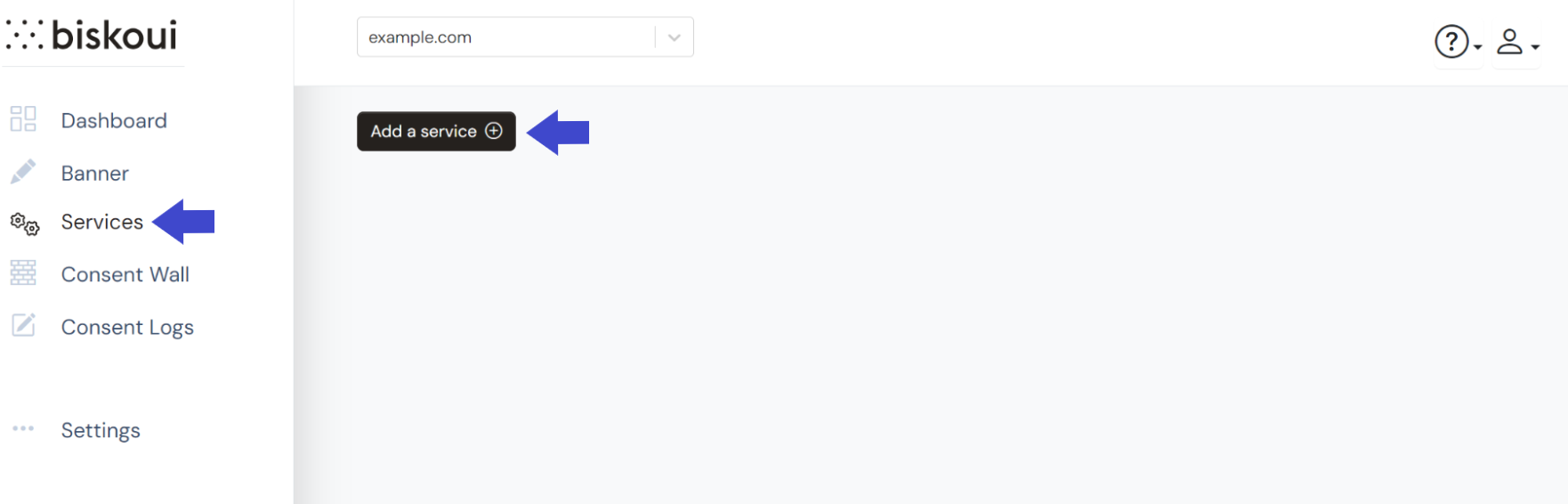
- Search for the service you would like to add
- Once the service is selected, in the drop-down menu under Integration mode, select Google Tag Manager (GTM)
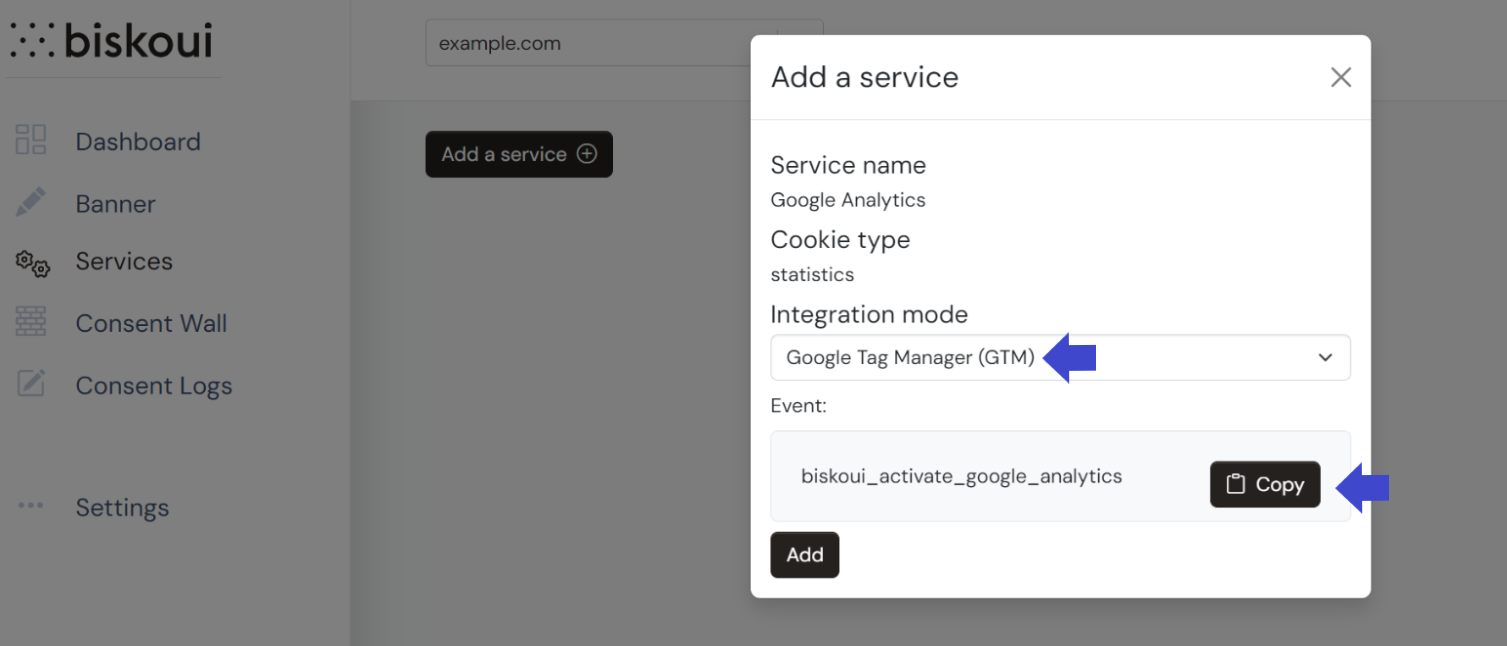
- Copy the event to your clipboard using the Copy button
- Open your Google Tag Manager console (tagmanager.google.com)
- Go to the Triggers menu and click the New button
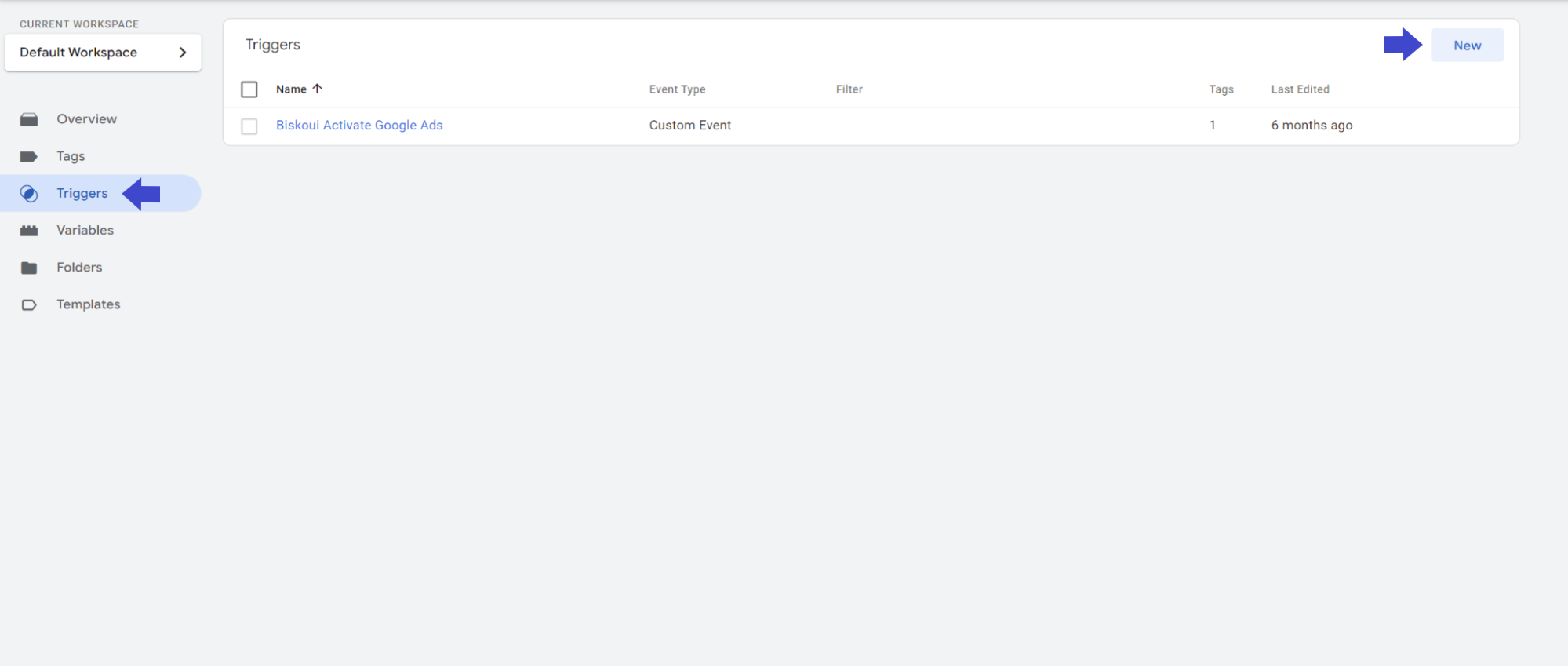
- Type the name of your choice for the trigger and click on the edit icon
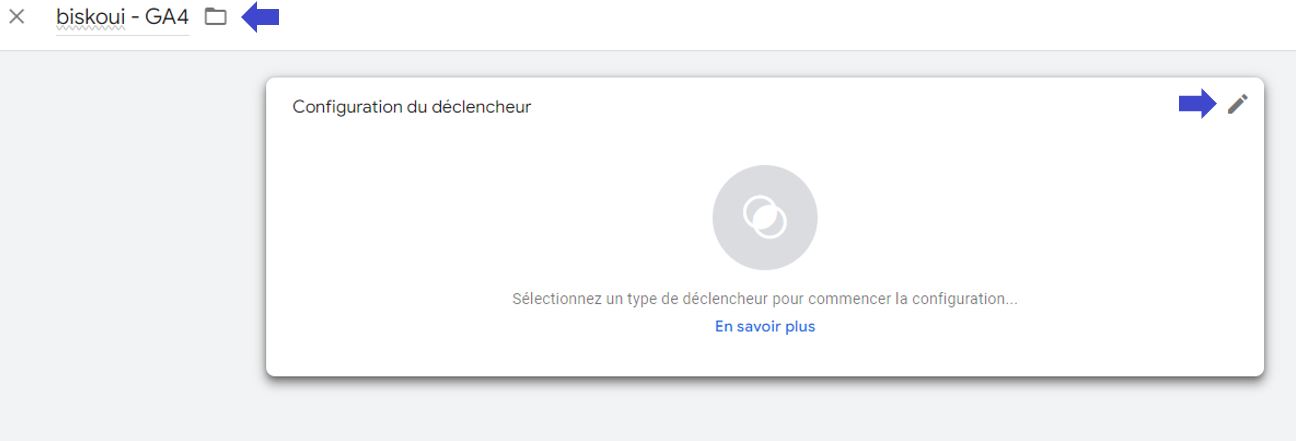
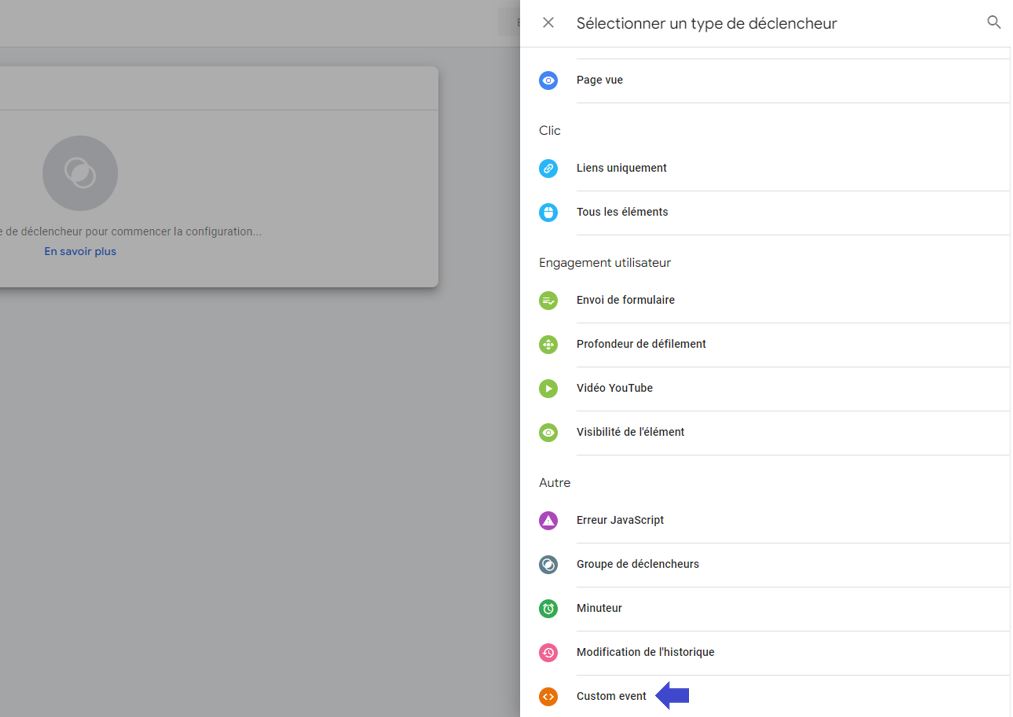
- Select the Custom event trigger type (further down in the list)
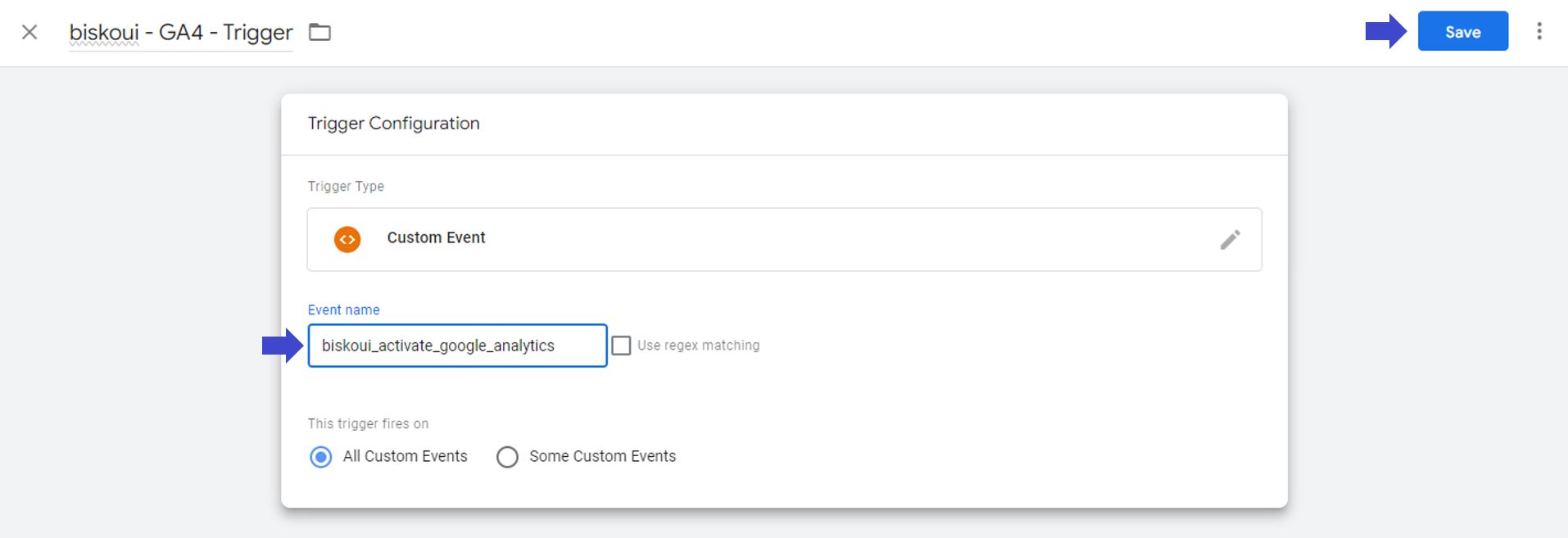
- Paste the previously copied trigger from the biskoui admin console and click the Save button
Creating the tag and selecting the trigger
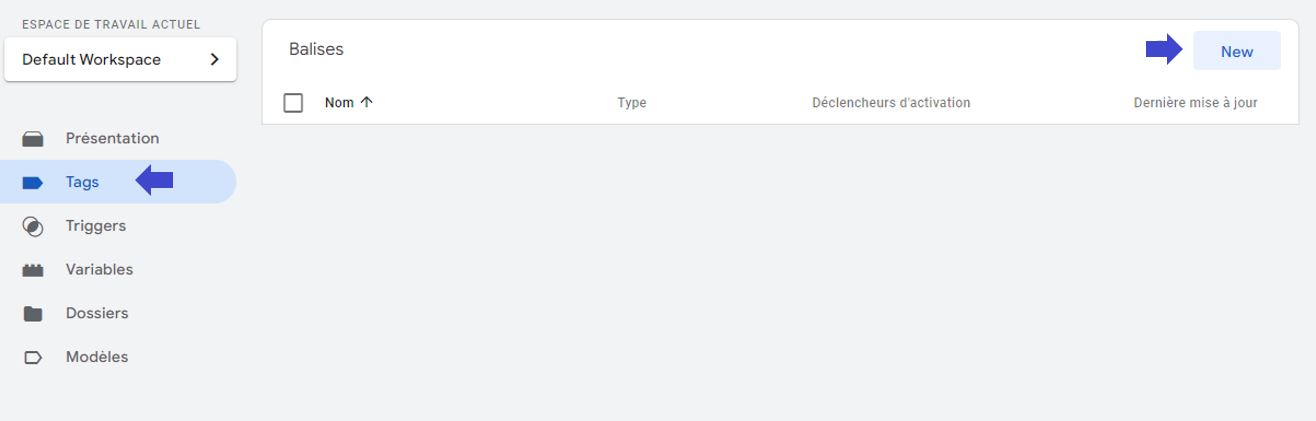
- Go to the Tags menu and click the New button
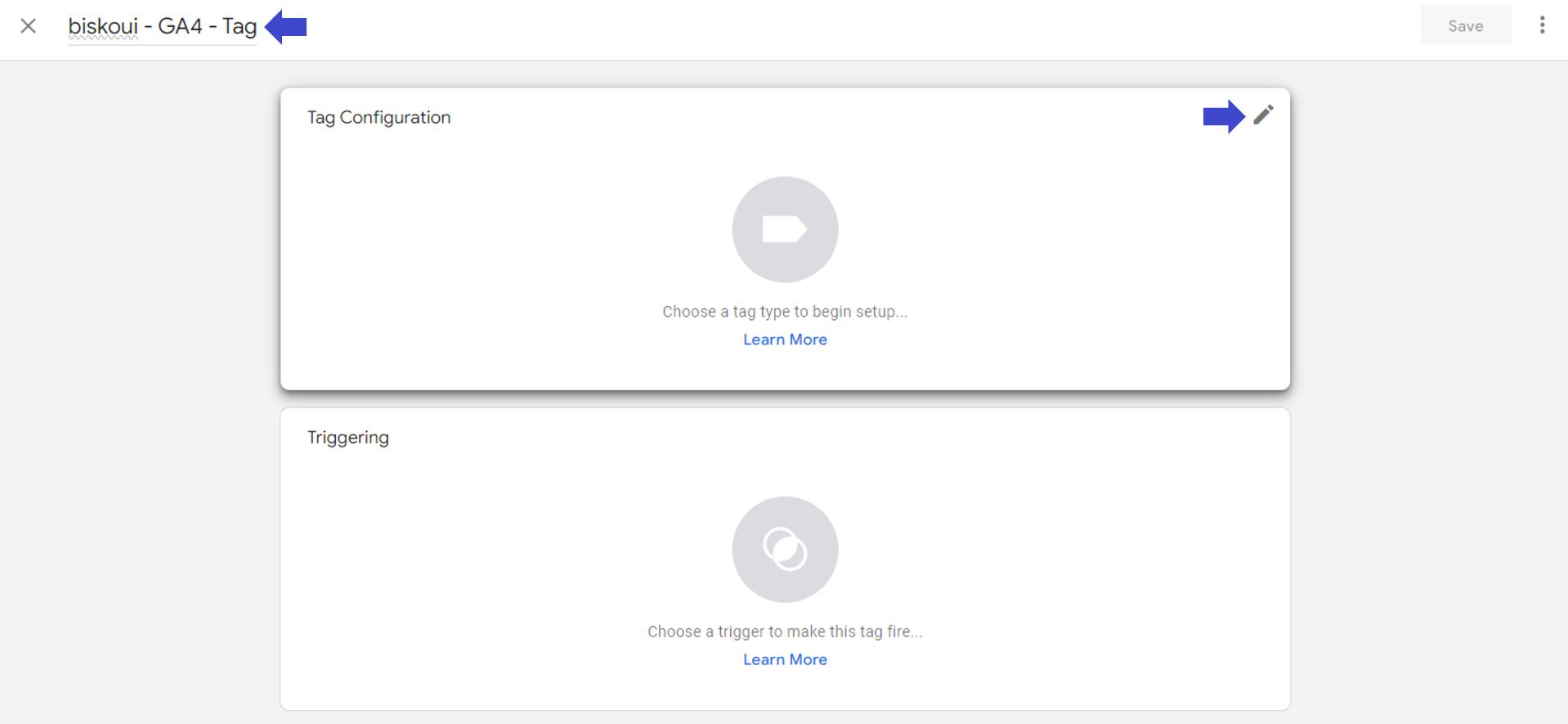
- Type the name of your choice for the tag and click on the edit icon on the Tag Configuration box
- In the list, find the service you want to add. If the service is not part of Google Tag Manager’s pre-built list, choose Custom HTML instead and paste the script provided by your service.
- Once the tag is configured, set the trigger by clicking on the edit icon in the Triggering box
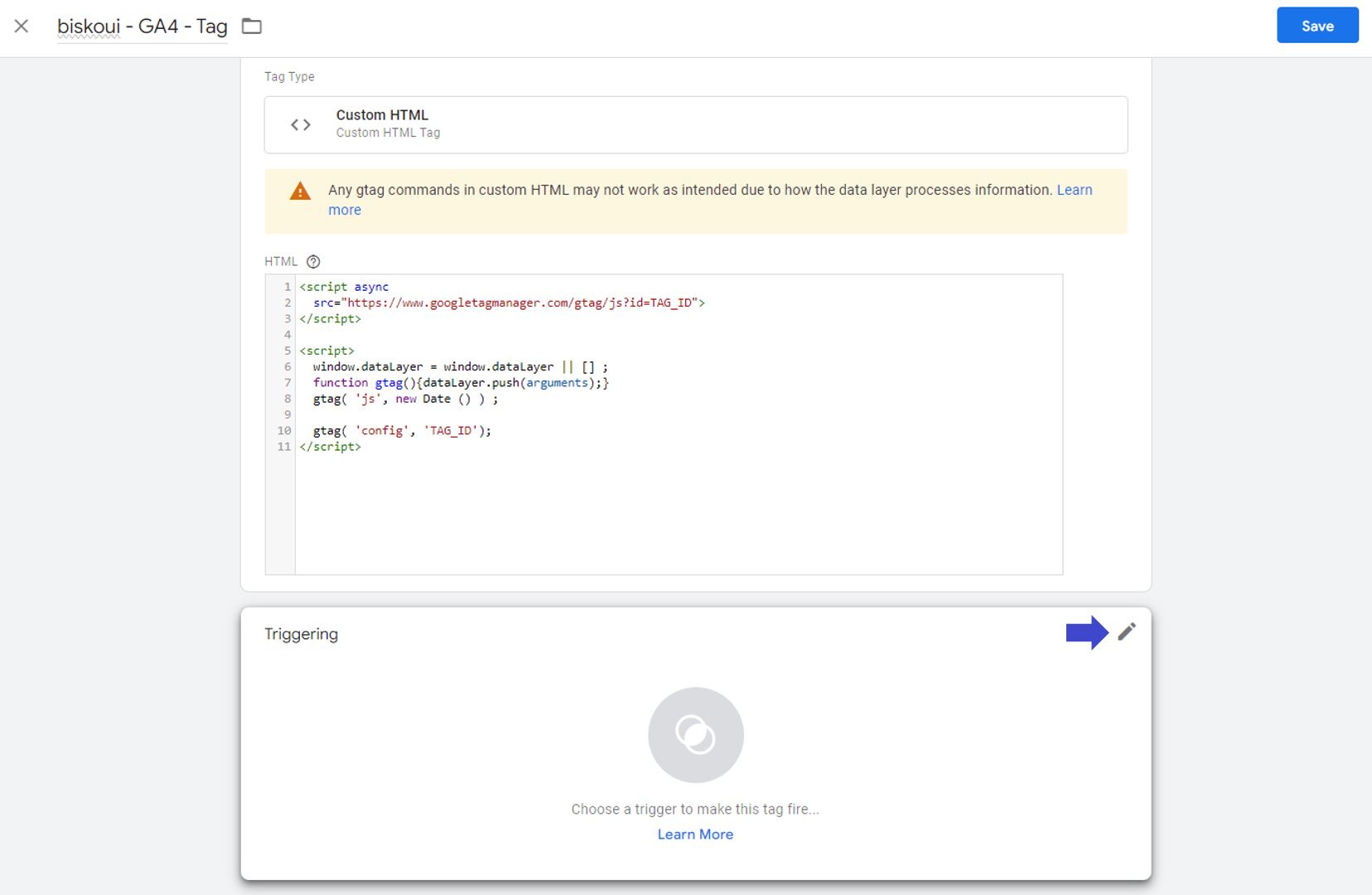
- Select the trigger you have just created and click on the Save button
Congratulations! You have successfully created a service managed through Google Tag Manager. If you wish to add more services, you will need to repeat this procedure for each service you create.
Need help with your Google Tag Manager integrations?
Our support team is available at support@biskoui.ch